The best receipt scanner apps of 2025 for freelancers and small businesses

The best receipt scanner apps of 2025 for freelancers and small businesses

Introduction: Taming the paper beast Every freelancer and small business owner knows the struggle of the paper receipt. They start as a small pile on your desk and quickly multiply, spilling out of folders and wallets. The real pain arrives at the end of the month, or worse, during tax season.  You spend countless hours […]

CalendarNovember 13, 2025
Time11 min read

Introduction: Taming the paper beast

Every freelancer and small business owner knows the struggle of the paper receipt. They start as a small pile on your desk and quickly multiply, spilling out of folders and wallets. The real pain arrives at the end of the month, or worse, during tax season. 

You spend countless hours manually typing numbers into a spreadsheet, trying to make sense of faded, crumpled slips of paper.

This manual data entry is not just tedious; it costs you valuable time and money. Studies have shown that small business owners can spend over 10 hours per month on bookkeeping alone. 

Every lost receipt is a missed tax deduction, meaning you are leaving money on the table that rightfully belongs in your pocket.

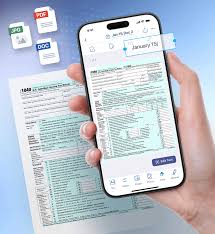
Receipt scanner apps are the solution to this paper beast. They use powerful technology on your smartphone called Optical Character Recognition (OCR). 

This acts like a digital assistant that reads the key information from a photo of your receipt and organizes it for you. It instantly captures the store’s name, the date of purchase, and the total amount, saving you from manual typing.

These apps ensure you are always ready for tax time by creating a digital, searchable archive of all your expenses. 

However, it is important to know that there are two main types of scanner apps. 

This review focuses on business expense trackers, which are designed to help you with accounting and tax deductions. We will not be covering consumer rewards apps, which are built to give you cashback on personal shopping.

II. What to look for in a business receipt scanner app

Choosing the right app can feel overwhelming, but it comes down to a few key features. These features separate a basic scanner from a powerful business tool.

Ocr accuracy

The most important feature of any receipt scanner is how well it can read the text on a receipt. A good OCR system will accurately extract the merchant’s name, the date, and the total amount without you needing to make corrections.

Think about the different types of receipts you get: long, crumpled receipts from the grocery store, or faded, hard-to-read ones from a gas pump. The best apps use advanced AI to handle these challenging situations, ensuring your data is reliable.

Expense management features

A great receipt scanner does more than just scan. It helps you manage your money by allowing you to categorize each expense. This means you can tag a purchase as “office supplies,” “client meals,” or “travel,” which is essential for understanding your spending and maximizing tax write-offs.

Many top apps also include mileage tracking. This feature uses your phone’s GPS to log your business-related trips, creating an IRS-compliant record that can lead to significant deductions at the end of the year.

Accounting software integration

Manually moving data from one program to another, known as “double entry,” is a huge waste of time. The best receipt scanner apps solve this by integrating directly with your accounting software.

This means that when you scan a receipt in the app, the data flows automatically and seamlessly into platforms like QuickBooks, Xero, or Zoho Books. This keeps your financial records constantly up-to-date and accurate without any extra work.

Cloud storage

A paper receipt can be easily lost, damaged, or destroyed. A digital copy stored securely in the cloud is permanent and safe. The IRS requires businesses to keep expense records for at least three years, and cloud storage ensures you are always in compliance.

This feature also means you can access your expense records from any device, whether you’re on your phone, tablet, or desktop computer. Your data is backed up and protected, giving you peace of mind.

Pricing model

Receipt scanner apps come with different pricing structures, so it’s important to find one that fits your budget and business model. Some apps charge a monthly fee for each person on your team who uses it. This “per-user” model is common for growing businesses.

Other apps might limit the number of scans you can perform each month. If your business has a high volume of transactions, a plan with unlimited scans will be more cost-effective than one with a cheap but restrictive scan limit.

III. In-depth reviews of the top business receipt scanners

We tested the most popular apps on the market to see how they stack up. Here is a detailed look at the best options for different types of business needs.

Zoho expense: best overall & most cost-effective

Zoho Expense is a powerful and surprisingly affordable option that is perfect for growing businesses. It stands out for providing premium features at a price point that most competitors cannot match.

Best for: Growing businesses and users of the Zoho ecosystem.

The app is part of the larger Zoho suite of business tools, which includes accounting, CRM, and project management software. If you already use other Zoho products, the expense app will feel like a natural and seamless extension of your workflow.

Pros:

The pricing model is a major advantage, charging a low monthly fee per active user. This means you only pay for employees who are actively submitting expense reports in a given month. This flexibility is ideal for businesses with seasonal workers or fluctuating staff.

The reporting and analytics tools are incredibly powerful. You can easily create detailed reports to see where your company’s money is going, set spending limits for employees, and automatically check expense reports for policy violations. It also includes robust mileage tracking, with options to track via GPS or enter trips manually.

Cons:

The biggest limitation is the number of automatic scans, which Zoho calls “autoscans,” available on its plans. The free plan is very generous but limits you to only 20 autoscans per month. While you can still enter unlimited expenses manually, this can be a drawback for users who want a fully automated experience without upgrading to a higher-tier plan.

Quickbooks online: best for integrated accounting

For businesses that have already built their financial world inside of QuickBooks, using its built-in receipt scanner is a logical choice. It offers the tightest integration possible, making it a powerful tool for existing users.

Best for: Businesses already using QuickBooks for their accounting.

The primary benefit is that your receipt data flows directly into your accounting books. There is no syncing or exporting required; the scanned expense is immediately ready to be categorized and matched with your bank transactions.

Pros:

When you snap a picture of a receipt, QuickBooks’s OCR reads the data and automatically creates an expense entry. This entry then appears in your accounting dashboard, where you can easily match it to a transaction downloaded from your business bank account. This seamless workflow is a massive time-saver and helps ensure your books are always accurate and reconciled.

Because it is part of a full-fledged accounting platform, you have access to robust tools for tax preparation, invoicing, and financial reporting. All your financial data is in one place, giving you a complete picture of your business’s health.

Cons:

If you only need a tool to scan receipts, QuickBooks Online is overkill. It is a comprehensive accounting system, and its price reflects that. For a freelancer or small business with very simple needs, paying for a full QuickBooks subscription just for the scanner is not cost-effective.

The platform also assumes a certain level of accounting knowledge. The interface can be complex for beginners who are not familiar with terms like “chart of accounts” or “bank reconciliation.”

Expensify: best for quick reimbursements

Expensify has built its reputation on one key feature: making it incredibly easy to pay your employees back for business expenses. Its user-friendly interface and rapid reimbursement make it a favorite among teams.

Best for: Freelancers and teams that prioritize fast employee reimbursement.

The app is designed to create a simple, straight-line path from scanning a receipt to getting money back in the bank. This focus makes it a popular choice in fast-paced work environments.

Pros:

Expensify’s standout feature is its next-day direct deposit reimbursement. An employee can submit an expense report today and have the money in their personal bank account as soon as tomorrow. This speed is a huge benefit for employee satisfaction.

The platform also offers unlimited company cards for employees, which can simplify the process even further. The user interface is clean and simple, making it easy for team members to adopt without much training.

Cons:

The free plan is extremely limited, allowing only 25 scans per month, which is not enough for most businesses. The paid plans can be more expensive than competitors, and some users have reported non-transparent billing practices where costs can change unexpectedly. For simple expense tracking without the need for rapid reimbursement, other apps offer better value.

Shoeboxed: best for handling physical receipts

For business owners who are truly drowning in paper, Shoeboxed offers a unique service that no other app can match. It takes the entire task of scanning off your hands.

Best for: Small businesses drowning in paper receipts who want a “done-for-you” service.

This app is for the person who hates technology and just wants their mountain of paper to be magically transformed into organized digital data. It is a service as much as it is an app.

Pros:

The “Magic Envelope” is Shoeboxed’s signature feature. The company sends you prepaid envelopes, and you simply stuff all of your receipts, invoices, and business cards inside and mail them in. A team of real people then scans, digitizes, and verifies all the data for you before uploading it to your account.

This human verification means the data is extremely accurate and IRS-accepted. The service also offers unlimited cloud storage, so your digital archive is secure and complete.

Cons:

Because your receipts are being physically mailed and processed, the turnaround time is not instant. This makes it unsuitable for businesses that need real-time expense tracking. The plans also come with monthly limits on the number of documents you can submit, and the service is not designed to scale for larger companies with complex approval workflows.

Wave: best for freelancers needing invoicing

Wave is a popular accounting platform for freelancers and solopreneurs because its core features are free. It combines invoicing, accounting, and receipt scanning into one simple package.

Best for: Solopreneurs and freelancers who need basic accounting and invoicing alongside receipt scanning.

It is the perfect starting point for someone who is just beginning their freelance career. It provides the essential tools to get paid and track expenses without any upfront cost.

Pros:

Wave’s free plan is incredibly generous, offering unlimited invoicing and basic accounting. The Pro plan, which includes unlimited receipt scanning, is very affordable and allows for unlimited users. This makes it easy for a freelancer to collaborate with an accountant or business partner.

The platform makes it very simple to create and send professional invoices to clients. Having your income and your expenses in the same system provides a clear, simple view of your financial situation.

Cons:

Receipt scanning feels more like an add-on feature rather than a core part of the Wave platform. The OCR technology is not as advanced or accurate as dedicated scanning apps like Zoho Expense or Shoeboxed. While it is perfectly adequate for basic needs, users with a high volume of receipts may find it lacking in power and features.

IV. Comparison table: top receipt scanners at a glance

App Name Starting Price Target User Standout Feature Key Integration
Zoho Expense Free; Paid plans are per active user Growing Businesses Powerful reporting & policy controls Zoho Suite, QuickBooks, Xero
QuickBooks Online Subscription-based Businesses using QuickBooks Seamless integration with accounting QuickBooks Online
Expensify Free (limited); Paid plans are per user Teams needing quick reimbursement Next-day direct deposit reimbursement QuickBooks, Xero, NetSuite
Shoeboxed Subscription-based Users who hate scanning paper “Magic Envelope” mail-in service QuickBooks, Xero, Evernote
Wave Free; Pro plan for unlimited scanning Freelancers & Solopreneurs Free invoicing & accounting None (self-contained)

V. A note on consumer rewards apps (Fetch, Ibotta, etc.)

While searching for receipt scanners, you will likely come across popular apps like Fetch and Ibotta. It is crucial to understand that these are not business tools.

These apps operate on a different business model. They pay you in points or small amounts of cash in exchange for your shopping data, which they then sell to market research firms and brands. They are designed for personal finance and saving money on groceries, not for managing business expenses for tax purposes.

For those interested in personal savings, Fetch is known for being the easiest to use—you just snap a picture of any receipt to earn points. Ibotta offers higher cashback potential but requires you to select specific offers before you shop.

VI. Conclusion: choosing the right app for your business needs

The best receipt scanner app is the one that fits seamlessly into your existing workflow and solves your biggest administrative headaches. There is no single perfect solution for everyone.

For all-in-one accounting

If you want your expense tracking to be a fully integrated part of a robust accounting system, QuickBooks Online remains the industry standard. Its seamless data flow is unmatched for those already committed to its platform.

For budget-conscious teams

For businesses that need powerful features without a high price tag, Zoho Expense provides the best overall value. Its flexible pricing and deep feature set make it the ideal choice for companies that plan to grow.

For freelancers

If you are a freelancer or solopreneur, Wave offers a fantastic and free starting point. It gives you the essential tools for invoicing and basic expense tracking in one easy-to-use package.

For those who hate scanning

Finally, for anyone who simply wants their piles of paper to disappear without having to scan them one by one, Shoeboxed is the perfect answer. Its unique mail-in service is the ultimate “done-for-you” solution for conquering paper clutter.