
 December 5, 2025
 11 min read
Education has traditionally relied on a heavy volume of paper. Every academic year, schools and universities generate mountains of physical documents—from enrollment forms to handwritten exam scripts. For teachers, this often leads to a cycle of manual grading and document management that creates a significant bottleneck for information flow.
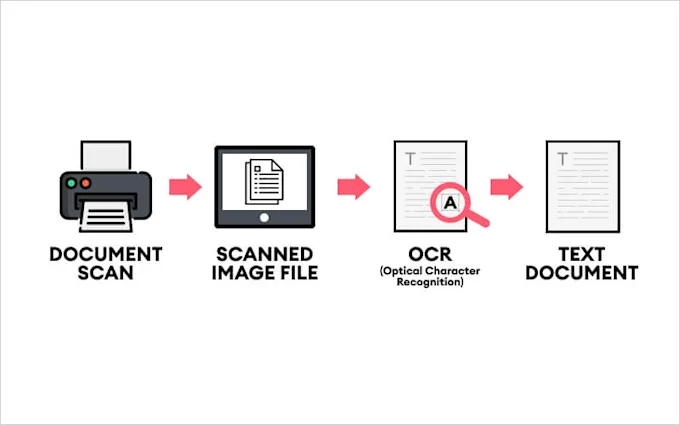
To solve this, institutions are adopting OCR for education to unlock the data trapped on printed pages. Optical Character Recognition (OCR) technology reads text from images and converts it into searchable, editable data. By leveraging OCR for education documents, schools can build a digital-first environment where information moves as fast as the students learn.
1. Why OCR for Education is Critical for Inclusive Learning
True digital transformation in a school starts with accessibility. OCR for education documents is vital for ensuring that every student has an equal opportunity to succeed, regardless of physical ability.
-
ADA Compliance & Visual Impairments: Physical textbooks are inaccessible to students with visual impairments. OCR converts these books into digital text that screen readers can process, bringing institutions into compliance with global accessibility standards.
-
Instant Searchability: Research is redefined when students use OCR for education documents. Instead of flipping through a 500-page historical archive, they can use “Find” commands to locate keywords in seconds.
-
Language Acquisition: For ESL (English as a Second Language) students, digital text is a gateway to understanding. Once course materials are processed via OCR, they can be instantly translated into the student’s native language.
2. Key Use Cases: Applying OCR Across the Campus
The versatility of OCR for education allows it to serve the entire institution—from the library to the back office.
Digital Libraries and Historical Archiving
Libraries are the guardians of rare manuscripts. By using OCR for education documents, librarians can scan delicate pages and democratize access to history. A student in a dorm room can now analyze a 100-year-old text that was once locked behind glass, all thanks to searchable digital archives.
Administrative Automation with OCR Zapier
The administrative office is the engine of the school, but it is often clogged with manual paperwork. Enrollment involves thousands of applications that staff must manually type into the system.
By utilizing an OCR Zapier workflow, this process becomes hands-off. When a form is scanned, the OCR Zapier connection extracts the data and sends it directly to the school’s database.
Workflow Orchestration via OCR Make Integration
For more complex institutional logic—such as routing transcripts to specific departments based on GPA—an OCR Make integration provides a powerful solution. Using an OCR Make integration reduces human error and ensures that student records are updated with 100% accuracy in real-time.
3. Transforming Grading with Exam Sheet Scanning
Teachers spend a disproportionate amount of time on assessments. Modern OCR for education software includes advanced exam sheet scanning capabilities.
-
Automated Bubble Sheets: Grade multiple-choice tests instantly.
-
Handwriting Recognition: Higher-end engines can now interpret short handwritten answers.
-
Consistency: Exam sheet scanning ensures a uniform grading standard for every student, allowing teachers to reclaim their evenings and focus on innovative lesson planning.
4. Technical Hurdles: Handwriting and STEM Notation
Educational documents are far more complex than simple business letters. To be effective, OCR for education documents must overcome unique technical challenges:
-
Intelligent Character Recognition (ICR): Much of learning is still handwritten. Standard OCR often fails here, but ICR-equipped engines can decipher messy student cursive, turning homework into readable digital files.
-
STEM Notation: Math and science formulas are a hurdle. A generic scanner sees a fraction as a “slash.” Advanced OCR for education must recognize chemical structures and physics symbols, converting them into formats like LaTeX.
-
Mixed Layouts: Textbooks often use multi-column text, sidebars, and footnotes. A high-quality engine respects the logical flow of the lesson rather than reading straight across the page.
5. Implementation Strategy: Integrate OCR Without Coding
Many schools avoid technology because they lack a massive IT budget. However, you can now integrate OCR without coding into your existing Learning Management System (LMS) like Canvas or Moodle.
By choosing “no-code” platforms, teachers can set up their own automation. You can integrate OCR without coding to automatically upload scanned handouts directly to a class portal. This “invisible” technology saves time and ensures that curriculum materials are always available to students online.
6. Data Privacy and Regulatory Compliance (FERPA & GDPR)
When digitizing student records, privacy is a legal mandate. Whether you are using an OCR Make integration or a simple cloud scanner, the data must be encrypted.
-
FERPA (USA): Protects the privacy of student education records.
-
GDPR (Europe): Ensures strict data protection for minors.
Ensure your provider for OCR for education documents is fully compliant to protect your institution from data breaches and legal liabilities.
7. The Future: AI Study Assistants and Interactive Notes
We are moving beyond simple scanning. Future OCR for education will integrate with Large Language Models (LLMs) to provide:
-
Automated Summarization: Capturing textbook text and generating concise study guides.
-
Interactive Note-taking: Turning handwritten class notes into organized Notion workspaces automatically.
-
Predictive Analytics: Identifying students who struggle with specific concepts based on patterns in their scanned assessments.
Conclusion: Building a Paperless Future in Education
OCR for education is the key to unlocking a truly inclusive and efficient learning environment. It removes the friction from administrative tasks through OCR Zapier and OCR Make integration, while empowering teachers with high-speed exam sheet scanning.
By making the decision to integrate OCR without coding, schools of any size can join the digital revolution. It is time to stop drowning in paper and start building a digital future where knowledge is searchable, shareable, and accessible to everyone.
Why imgtoexcel.com is The Right Solution For You?
At imgtoexcel.com, we provide specialized tools to help institutions integrate OCR without coding. Our platform is designed to handle the complex layouts and diverse needs of OCR for education documents with 99.9% accuracy.
Whether you need to automate your back office with OCR Zapier or streamline assessments with exam sheet scanning, we offer the speed and security you need. Trust imgtoexcel.com to transform your physical classroom into a digital knowledge hub today!
Ready to Modernize Your Curriculum?
-
[Start Free Trial] – Convert your first 50 pages of OCR for education documents for free!
-
[Get a Quote] – Custom solutions for large-scale university archiving.


