
 March 13, 2026
 11 min read
In the modern corporate landscape, organizational velocity is the primary driver of competitive advantage. However, many Human Resources (HR) departments remain tethered to antiquated, paper-heavy workflows. Storing sensitive information in physical folders or static image files creates a structural bottleneck that throttles talent management. To achieve true operational agility, forward-thinking enterprises are implementing HR form image to Excel workflows, transforming “dark data” into structured, actionable digital assets.
By choosing to convert HR form image to Excel, you eliminate the manual roadblocks that drain productivity. This guide explores how AI-powered technology acts as the bridge between physical paperwork and a modern, data-driven office, ensuring your records are 100% accurate and audit-ready.
1. Why Manual HR Data Entry is a Barrier to Profitability
HR is often considered a strategic department, yet staff frequently spend 30-40% of their time on repetitive administrative tasks. Relying on manual entry to process an employee form JPG to Excel is a high-risk strategy for three reasons:
-
Data Inaccuracy Risks: Even a minor typo in a social security number or bank account field can lead to severe payroll discrepancies and employee dissatisfaction.
-
Onboarding Latency: Manual entry for hundreds of new hire forms creates a “bottleneck” that delays a new employee’s first productive hour.
-
The “Dark Data” Problem: Information trapped in JPG, PNG, or scanned PDF formats is non-searchable. You cannot “Control + F” a stack of physical paper to find a specific professional certification.
By leveraging HR data extraction solutions, organizations can reduce processing time by up to 80% while maintaining near-perfect data integrity.
2. The Technology Behind HR Form Image to Excel: OCR vs. IDP
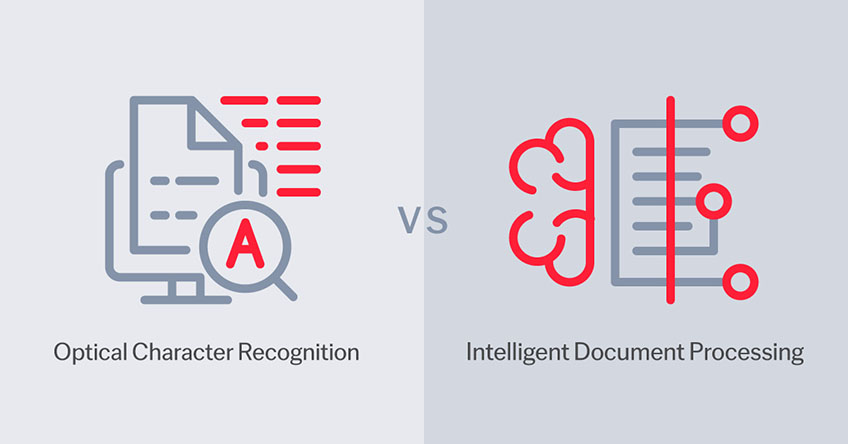
To move from a static picture to a functional spreadsheet, the software must do more than just “read” text. It requires a combination of Optical Character Recognition (OCR) and Intelligent Document Processing (IDP).
Standard OCR Capabilities
OCR is the foundation that allows computers to “see” text by converting pixels into digital characters. While basic OCR is useful for simple text documents, it often fails when faced with the complex grids of HR forms.
AI and Intelligent Document Processing (IDP)
The difference with professional tools like imgtoexcel.com lies in contextual intelligence. Our AI identifies “Key-Value Pairs.” It recognizes which field is the “First Name” and which is the “Date of Birth,” even if the image is tilted, blurry, or captured in low light. This advanced employee form JPG to Excel process maps the data directly into the correct columns without human intervention.
3. High-Impact Use Cases in the Modern HR Workflow
The application of HR form image to Excel technology spans the entire employee lifecycle:
-
Recruitment & Onboarding: Automatically extract data from candidate IDs, passports, and academic transcripts to build digital profiles instantly.
-
Payroll & Expense Management: Convert handwritten timesheets or scanned payment receipts into Excel for rapid salary calculation and reimbursement.
-
Compliance & Historic Records: Digitize legacy contracts and non-disclosure agreements (NDAs) from paper archives into a searchable digital database.
According to global Digital Data Governance standards, maintaining high-fidelity structured data is a prerequisite for legal compliance and institutional trust.
4. The 4-Step Professional Workflow for HR Digitization
Implementing a high-speed HR form image to Excel system at imgtoexcel.com follows a logical, secure progression:
Step 1: Image Capture (Intelligent Ingestion)
Use a smartphone or a flatbed scanner to capture the document. For the best HR data extraction results, ensure the image is at least 300 DPI and well-lit to minimize character confusion.
Step 2: AI-Powered Parsing
Upload the file to the platform. The engine identifies the table structures and performs an automated employee form JPG to Excel extraction, identifying rows and columns with surgical precision.
Step 3: Human-in-the-Loop Validation
While AI is 99% accurate, professional standards require a quick verification. A human reviewer audits the “low-confidence” flags to ensure 100% precision for critical legal or financial figures.
Step 4: Secure Export and Integration
Export the structured data as an .XLSX or .CSV file. This data is now ready to be synced directly with your Human Resource Information System (HRIS) or Payroll software.
5. Protecting PII: Security and Compliance in HR

HR forms contain some of the most sensitive Personally Identifiable Information (PII) in existence. When you implement an HR form image to Excel workflow, security is non-negotiable.
-
End-to-End Encryption: Data must be protected during the upload and processing phases using SSL/TLS protocols.
-
No-Log Policies: Trustworthy platforms like imgtoexcel.com implement a “zero-persistence” policy, deleting your source images immediately after the task is complete.
-
Regulatory Alignment: Digitizing your records makes it easier to comply with GDPR (Europe) and local privacy laws by allowing for rapid data retrieval and the “right to be forgotten”—something nearly impossible with physical paper archives.
6. Measuring the ROI: From Data to Business Intelligence
When you replace manual typing with an HR form image to Excel system, the return on investment is immediate:
-
Operational Savings: Eliminate the need for temporary data entry staff during peak hiring seasons.
-
Improved Employee Experience: New hires are impressed by a seamless, high-tech onboarding process that respects their time.
-
Data-Driven People Analytics: Structured data allows HR leaders to create dashboards tracking turnover rates, skill gaps, and diversity metrics with a single click.
Conclusion: The Future of HR is AI-Driven and Automated
The shift to HR form image to Excel is no longer just a technological upgrade; it is a strategic requirement for the modern workforce. Do not let your most valuable asset—your data—stay frozen in a static image file. Leverage the power of AI to unlock your team’s time, allowing them to focus on the heart of the business: People.
The era of the “Paper-Pushing HR” is over. Embrace the digital pulse of automation and lead your organization into a more efficient, secure, and profitable future.
Why imgtoexcel.com is The Right Solution For You?
At imgtoexcel.com, we provide the industry’s most accurate technology for HR form image to Excel. Our platform is specifically fine-tuned for high-volume HR departments, complex table structures, and multi-language support.
We prioritize your security, offering a high-speed employee form JPG to Excel workflow that delivers 99.9% accuracy. Whether you are managing a small boutique firm or a global enterprise, trust imgtoexcel.com to deliver the structured digital intelligence you need to lead your market. Experience the future of document automation—choose imgtoexcel.com today!
Ready to Automate Your HR Files?
-
[Start Free Trial] – Convert your first 50 HR documents for free!


