
 March 22, 2026
 11 min read
The global logistics industry is characterized by high-velocity operations and physical precision. However, many warehouses remain throttled by antiquated back-office workflows. Every truck arrival brings not just cargo, but a mountain of sensitive documentation. Storing these critical records in physical folders or static images creates a “data bottleneck” that stalls growth. To achieve true operational agility, modern firms are moving to convert delivery note image to Excel, transforming unstructured visual noise into structured, actionable digital intelligence.
Manual data entry is the “silent killer” of productivity in shipping hubs and distribution centers. When critical SKU numbers, quantities, and timestamps are locked in an IMG format, leadership lacks the real-time visibility needed for strategic decision-making. This guide explores the technical shift to logistics OCR Excel and provides a roadmap to mastering the digital transformation of shipping records.
1. The Strategic Role of the Delivery Note in Modern Trade
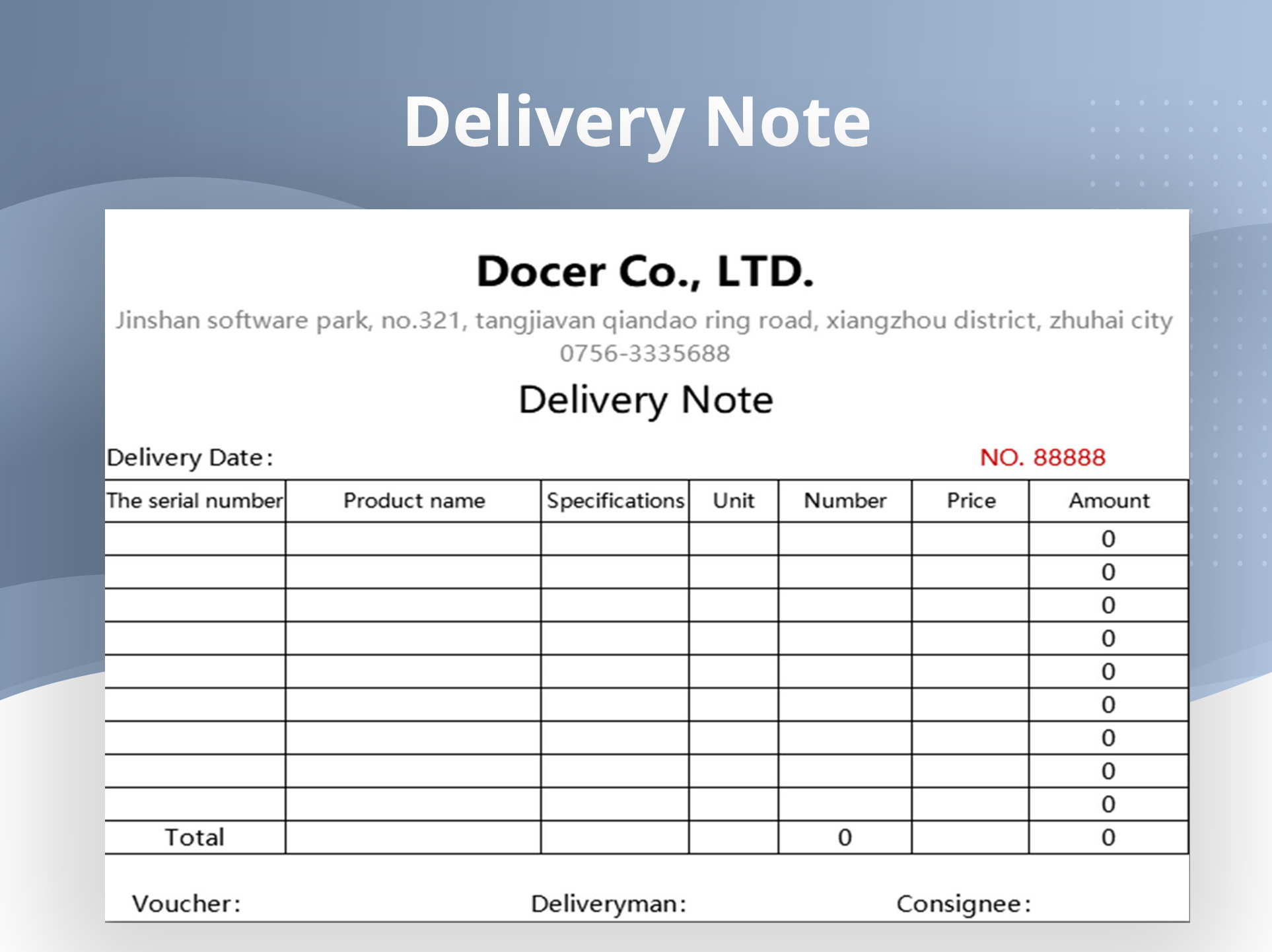
A Delivery Note is far more than a simple list; it is a critical legal instrument in the logistics cycle. It acts as the primary proof of delivery (POD), establishing that the goods were received in the agreed-upon condition.
-
Data Integrity: The note contains vital fields such as SKU identifiers, unit quantities, consignee details, and precise delivery windows.
-
Inventory Accuracy: Successfully choosing to convert delivery note image to Excel ensures that these numbers are instantly mirrored in your digital ledger, preventing discrepancies between the dock and the database.
-
Dispute Resolution: A digital record serves as an objective reference point to settle arguments with vendors regarding missing items or damaged goods.
2. The Operational Crisis: Why Manual Entry Fails the Supply Chain

In a high-velocity logistics environment, time is the only currency that matters. Relying on staff to manually transpose data from a photo of a document to a spreadsheet is a high-risk strategy for three reasons:
The Inaccuracy Trap
Human eyes are prone to “fatigue-based errors,” especially when reading long alphanumeric strings on crinkled paper. A single mistyped digit in a quantity field can lead to severe inventory discrepancies, resulting in overstocking or stockouts. By choosing to convert delivery note image to Excel via automation, you eliminate this “typo risk” entirely.
Time Latency and Operational Lag
Manually typing a single delivery note can take an average of 5 to 10 minutes. In a warehouse receiving 50 shipments a day, this translates to several lost labor hours. An AI-powered logistics OCR Excel tool can complete the same task in under 5 seconds.
Lack of Scalability
You cannot scale a global supply chain by hiring more data entry clerks. To grow, you need a robust delivery note digitization pipeline that can handle a 300% increase in volume during peak seasons without increasing administrative overhead.
3. Technology Evolution: Moving from Basic OCR to AI-Driven IDP
To effectively convert delivery note image to Excel, the technology must move beyond simple character recognition. Modern systems utilize Intelligent Document Processing (IDP).
-
Traditional OCR: This older method simply identifies shapes. It often fails when faced with blurry mobile photos, messy handwriting, or non-standard layouts.
-
AI-Powered Logistics OCR Excel: Modern engines like imgtoexcel.com use neural networks to understand the layout and context of the page. The AI recognizes the table structure where items are listed, even if the grid lines are missing or the document is skewed.
According to global standards for Digital Supply Chain Integration, maintaining high-fidelity source data through automated capture is a primary driver of supply chain resilience.
4. The 5-Step Process: A Logical Data Progression
Mastering the delivery note image to Excel workflow requires a secure and consistent progression:
-
Image Acquisition: Capture high-resolution photos (300 DPI) using a smartphone or warehouse scanner. Sharp images ensure the logistics OCR Excel engine achieves 99.9% accuracy.
-
Pre-processing: The software utilizes AI to “clean” the image—performing deskewing, noise reduction, and perspective correction to ensure a pristine digital map.
-
Intelligent Extraction: The AI identifies specific fields like SKU codes and quantities. This is where the “unstructured” image is turned into “structured” data.
-
Human-in-the-Loop Validation: A brief review phase where a staff member confirms any low-confidence characters, ensuring 100% precision before the final export.
-
Structured Export: The final conversion into .xlsx or .csv format, ready for instant integration into your WMS or ERP.
5. Integrating Extracted Data into the Logistics Ecosystem
The value of being able to convert delivery note image to Excel is fully realized when the data flows into your wider software stack.
-
Automated 3-Way Matching: The financial team uses the digital delivery note to compare the purchase order and the final vendor invoice. This “three-way match” prevents accounting fraud and overpayment.
-
WMS Synchronization: The logistics OCR Excel output updates your Warehouse Management System in real-time. Managers can see exactly what is on the shelves without physically walking the warehouse floor.
-
Real-time Customer Transparency: Once the note is digitized, you can automatically trigger a notification to the customer, informing them that their order has been received and processed.
6. Strategic ROI: Why Automation Pays for Itself
Implementing a delivery note image to Excel strategy offers immediate measurable advantages:
-
80% Reduction in Processing Costs: Automation drastically lowers the cost-per-document compared to manual labor.
-
Improved Vendor Relationships: Fast processing allows you to confirm receipts and pay vendors sooner, leading to better terms and stronger partnerships.
-
Audit-Ready Compliance: Digital files are easier to search and share with regulatory bodies than boxes of physical paper. A logistics OCR Excel system maintains a transparent audit trail for every shipment.
7. The Future: Predictive Logistics and a Paperless Office
We are moving beyond simple data entry. Once you successfully convert delivery note image to Excel, your data becomes the fuel for predictive analytics. Future AI models will analyze your structured spreadsheets to predict carrier performance or identify supply chain bottlenecks before they occur. By adopting delivery note digitization today, you are building the foundation for a fully autonomous, data-driven back office.
Conclusion: Lead the Digital Transformation in Logistics
The era of manual data entry is over. Sticking to paper-based habits is a structural risk to your company’s efficiency and profitability. By choosing to convert delivery note image to Excel, you empower your team to focus on logistics strategy and customer satisfaction rather than administrative maintenance.
Stop letting your valuable cargo data stay frozen in a static picture. Use the power of AI-driven logistics OCR Excel today and watch your warehouse move into the fast lane of digital excellence.
Why imgtoexcel.com is The Right Solution For You?
At imgtoexcel.com, we provide the most accurate technology to convert delivery note image to Excel on the market. Our platform is specifically fine-tuned for the unique layouts of shipping manifests, packing slips, and logistics documents.
We prioritize your security and ease of use, offering a high-speed logistics OCR Excel workflow that delivers 99.9% accuracy, even from low-light photos taken in the field. Whether you are a small local distributor or a global freight giant, trust imgtoexcel.com to deliver the structured digital intelligence you need to lead your market. Experience the future of document automation—choose imgtoexcel.com today!
Ready to Automate Your Logistics Data?
-
[Start Free Trial] – Convert your first 50 delivery notes for free!


