
 November 18, 2025
 11 min read
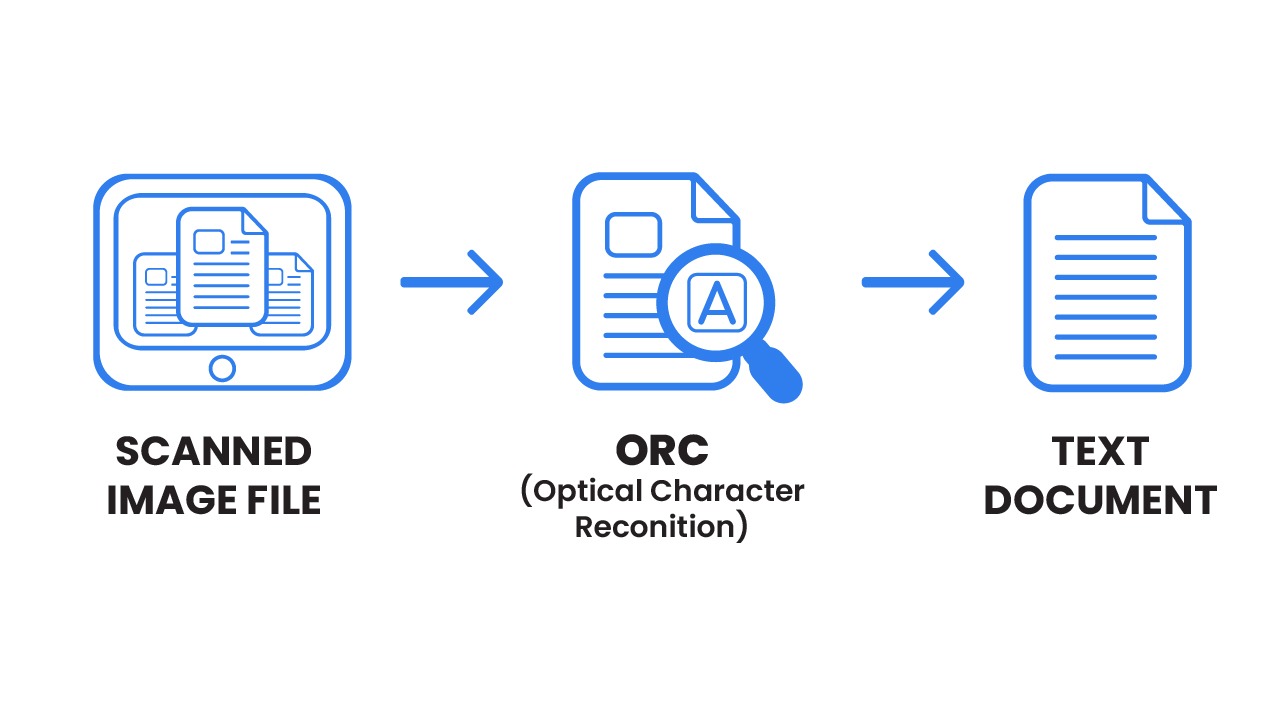
Improving OCR accuracy is the primary challenge for modern businesses looking to transform paper-based “gibberish” into valuable digital gold. We were promised a future where documents could be converted into editable text with a single click, allowing an invoice photo to magically appear in an Excel spreadsheet. However, the reality is often a frustrating mess of garbled text.
Achieving near-perfect results is not about a secret algorithm, but about mastering the systematic process of improving OCR accuracy before the file ever reaches the engine. This guide provides the definitive roadmap for professional data capture and high-quality document digitization.
1. The Golden Rule: Resolution and the 300 DPI Standard
If “Garbage In, Garbage Out” is the law of computing, then “Resolution is King” is the law of improving OCR accuracy. To begin the process, you must focus on DPI (Dots Per Inch).
Think of DPI as the “granularity” of your digital map. For OCR software to distinguish the fine curves of an “8” from a “B,” it needs a specific density of pixels.
-
The 300 DPI Rule: This is the universally accepted industry standard for professional extraction. At 300 DPI, most standard business fonts are clear enough for the AI to read with precision.
-
The Low-Res Trap: Scanning below 200 DPI is a recipe for failure. The characters become “blocky,” causing the software to guess—and usually guess wrong, making it impossible to achieve high recognition quality.
2. Optimizing Image Clarity: Contrast and Noise Reduction
Resolution provides the dots, but clarity provides the meaning. Enhancing document visibility requires a high-contrast environment.
The Contrast Factor
Ideally, your input should feature dark black text on a pure white background. OCR engines struggle with colored backgrounds or watermarks. If your goal is improving OCR accuracy, always work from an original digital file or a first-generation scan rather than a faded photocopy.
Eliminating Digital “Noise”
In technical terms, “noise” refers to dust on the scanner bed or dark streaks from a printer. These stray marks are often misinterpreted as punctuation. Taking five seconds to wipe your scanner glass is a simple but vital step in improving OCR accuracy.
3. The Digital Darkroom: Essential Pre-processing Techniques
Modern OCR platforms utilize a “Digital Darkroom” to enhance images. Understanding these techniques is vital for handling difficult or skewed files.
-
Deskewing (Skew Correction): Even a tilt of one or two degrees can confuse an engine. Deskewing software rotates the image until lines are perfectly horizontal, which is a massive help in boosting precision by up to 15%.
-
Binarization: This process converts color images into pure black and white. By removing “grey areas,” the software can more easily identify character boundaries, further improving OCR accuracy.
-
Despeckling: Digital filters are applied to remove tiny black dots. These filters preserve the sharp edges of text while eliminating “junk” data.
4. Font Selection and Layout Architecture
How text is presented on the page dictates the success of your conversion.
-
Font Compatibility: Standard fonts like Arial and Calibri are the easiest for engines to recognize. To ensure high quality, avoid decorative or script fonts that often lead to “character bleeding.”
-
Layout Simplicity: Single-column layouts are processed much faster. If you are designing documents for automated systems, keep the structure clean and predictable to assist in improving OCR accuracy.
5. The Shift to AI and Machine Learning
Legacy OCR systems were built on rigid rules. Modern strategies for enhancing recognition now rely on Artificial Intelligence (AI).
AI-powered systems are trained on billions of diverse documents. These systems use Deep Learning to recognize patterns rather than just matching shapes. Choosing an AI-based tool is the single most effective way to start improving OCR accuracy instantly, as it handles blurry scans and handwritten notes with ease.
6. Post-Processing and Contextual Validation
The final stage of the workflow happens after the text is extracted through automated checks and validation.
Dictionary and Rule-Based Checks
A professional workflow cross-references extracted words against dictionaries. If the engine sees “Invoce,” the system automatically corrects it to “Invoice,” effectively supporting the goal of improving OCR accuracy during the final export.
Context-Aware NLP
Natural Language Processing (NLP) allows the system to check if the data makes sense semantically. An AI knows that a “Date” field should contain numbers, not a street address. This intelligence is a cornerstone of data reliability in modern financial reporting.
7. The “Human-in-the-Loop” Strategy
For mission-critical documents, automation should be paired with human oversight to finish the task of improving OCR accuracy. In this model, the software assigns a “Confidence Score” to every field. If a score is low, a human reviewer verifies the data. This hybrid approach is the gold standard for high-volume data capture across large enterprises.
Conclusion: A Checklist for Perfect Data Capture
Improving OCR accuracy is not a game of chance; it is a systematic science. By shifting your focus from “fixing errors in Excel” to “optimizing the input image,” you transform a frustrating chore into a high-speed competitive advantage.
Stop letting bad data slow your business down. Unlock the value hidden in your images and lead your digital transformation by prioritizing the strategies discussed in this guide.
Why imgtoexcel.com is The Right Solution For You?
At imgtoexcel.com, we take the guesswork out of improving OCR accuracy. Our platform is built on advanced AI neural networks that automatically perform every pre-processing step—from deskewing to noise removal—before delivering your data.
Whether you are processing a single receipt or a million invoices, imgtoexcel.com delivers the 99% precision that professionals demand. Choose imgtoexcel.com for the most reliable way of improving OCR accuracy and transform your images into actionable Excel data today!


